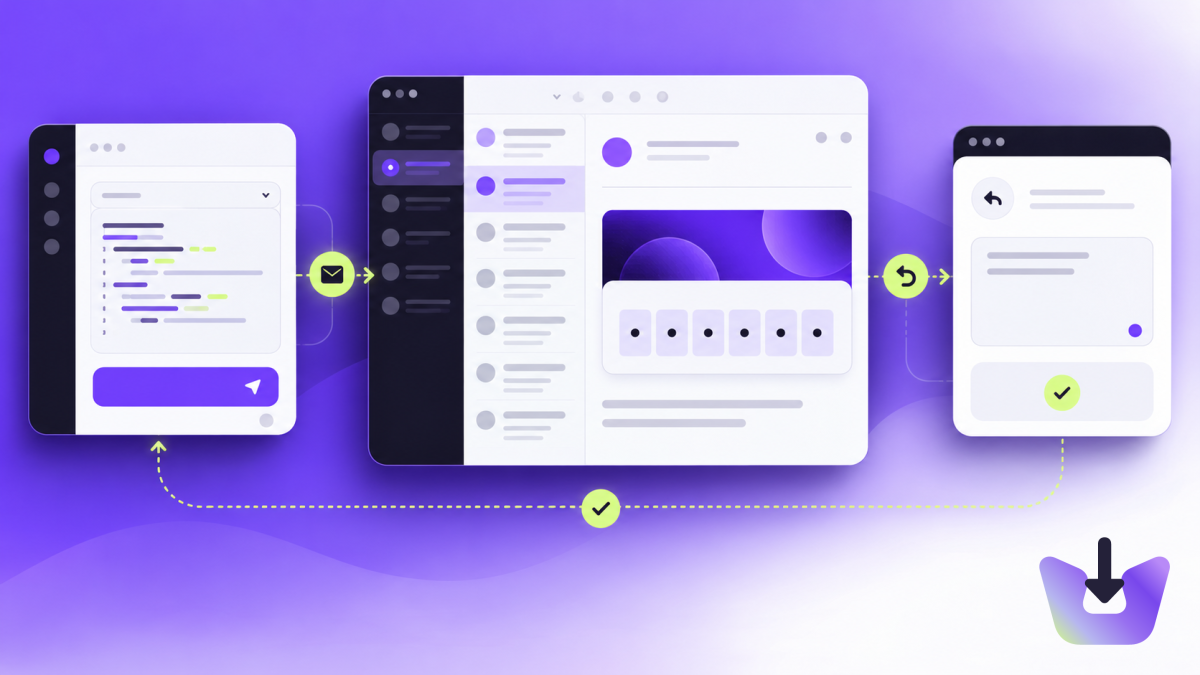
What this test covers
A form submission is not the end of a signup test. The email must reach the right address, contain a usable code and let that account complete verification. This tutorial connects a browser test to a temporary InboxIt inbox. It covers a code-based signup; your application still controls token expiry, resend rules and account verification.
Your app can send through its existing email provider. The test address is the connection: InboxIt receives the email and your Playwright runner reads it through the API. See the email testing workflow for the difference between delivery checks and application tests.
Prepare the test environment
Use an application environment and test accounts you control. Create a workspace API key with inboxes:create, inboxes:read and messages:read. Keep it in the test runner’s secrets, never browser code. Install Playwright in your test project and its Chromium browser:
npm install --save-dev @playwright/test
npx playwright install chromium
Set INBOXIT_API_KEY and TEST_APP_ORIGIN in your shell or CI secret settings. TEST_APP_ORIGIN is your staging app’s origin, such as https://staging.example.com. The example below is a JavaScript test file, tests/email-verification.spec.js. Change the form labels, button names, subject filter and success assertion to match your app. Fill any required password or name fields at the marked line.
Create an inbox, start the wait, then submit
The order matters. Provisioning is asynchronous, so first poll until the inbox is active. Start the email wait before submitting signup: this creates the boundary that excludes older messages. Each test creates its own inbox so parallel runs cannot consume each other’s codes.
import { test, expect } from '@playwright/test';
import { randomUUID } from 'node:crypto';

test('signup email verifies the account', async ({ page, request }) => {
  test.setTimeout(180_000);
  const token = process.env.INBOXIT_API_KEY;
  const app = process.env.TEST_APP_ORIGIN;
  if (!token || !app) throw new Error('Set both environment variables');
  const origin = 'https://inboxit.wtf';
  async function api(path, method = 'GET', data = undefined) {
    const response = await request.fetch(origin + '/api/v2' + path, {
      method, data, timeout: 10_000,
      headers: { Authorization: 'Bearer ' + token,
        ...(method === 'POST' && path === '/testing/inboxes'
          ? { 'Idempotency-Key': randomUUID() } : {}) }
    });
    if (!response.ok()) throw new Error('InboxIt HTTP ' + response.status());
    return response.json();
  }
  const inbox = await api('/testing/inboxes', 'POST', {
    name: 'Playwright signup', ttl_seconds: 600
  });
  try {
    await expect.poll(async () => {
      const list = await api('/testing/inboxes');
      return list.inboxes.find(item => item.id === inbox.id)?.status;
    }, { timeout: 60_000, intervals: [1000, 2000] }).toBe('active');

    await page.goto(new URL('/signup', app).href);
    await page.getByLabel('Email', { exact: true }).fill(inbox.address);
    // Add your app's other required fields before starting the wait.
    const run = await api('/testing/inboxes/' + inbox.id + '/wait', 'POST', {
      subject: 'Verify your email', timeout_seconds: 60
    });
    await page.getByRole('button', { name: 'Create account', exact: true }).click();
    let result;
    await expect.poll(async () => {
      result = await api('/testing/runs/' + run.id);
      return result.status;
    }, { timeout: 65_000, intervals: [1000, 2000] }).not.toBe('waiting');
    expect(result.status).toBe('matched');
    expect(result.extraction.codes).toHaveLength(1);
    await page.getByLabel('Verification code', { exact: true })
      .fill(result.extraction.codes[0]);
    await page.getByRole('button', { name: 'Verify', exact: true }).click();
    await expect(page.getByText('Email verified', { exact: true })).toBeVisible();
  } finally {
    await api('/testing/inboxes/' + inbox.id, 'DELETE');
  }
});
Run with npx playwright test tests/email-verification.spec.js. The final assertion must represent a verified account in your application; replace the sample success text with a stable UI assertion. A matched message alone is not a successful signup.
The calls and response fields follow the InboxIt testing API. Polling uses Playwright’s expect.poll. Timeouts are bounded, and the temporary inbox is removed in finally; its expiry also limits how long it can survive an interrupted runner.
Handle links and ambiguous messages
The example requires exactly one numeric candidate. If the email contains an order number and a verification code, extraction may return several candidates. Tighten your app’s template or explicitly validate the code format and message context. Do not silently pick the first number.
For a link-based flow, inspect extraction.links instead. Select exactly one URL whose origin equals your staging origin and whose pathname matches the expected verification route. Reject other destinations before navigating. Keep reset tokens and codes out of test artifacts and public logs; browser traces can capture both URLs and form input.
Diagnose a failing test
- Inbox never becomes active: inspect provisioning and account limits before retrying the form.
- Wait times out: check the subject filter, sending logs and exact recipient. Add an exact sender filter when needed.
- 401 or 403: verify the key, workspace and scopes.
- 429: reduce parallelism and respect Retry-After; incoming email uses your account allowance.
- Code rejected: inspect your app’s expiry and verification logic, not just message arrival.
This starter fails on non-success API responses instead of hiding an infrastructure problem inside endless retries. For CI, preserve a safe failure summary and add bounded retry handling appropriate to your environment. Cleanup failures should be recorded separately so they do not obscure the original failure.
Extend the test without weakening it
Add separate tests for an expired code, a used code and a resend. A fresh inbox isolates each test, but your application also needs a policy for deleting its temporary test users. For password resets, confirm the new password works and the old one no longer does. None of these checks prove inbox placement at every receiving provider; keep a separate delivery test to real mailboxes you control.
Next: review the signup and password-reset checklist, or reuse the same bounded workflow in an AI agent inbox.